 CopyDNA
Plugin for WordPress and WooCommerce
Text that persuades, right inside WordPress
Posts, pages and product descriptions in your business's voice, with no copying between windows. Every text goes into the editor as a draft, and nothing is published without you.
What the plugin writes
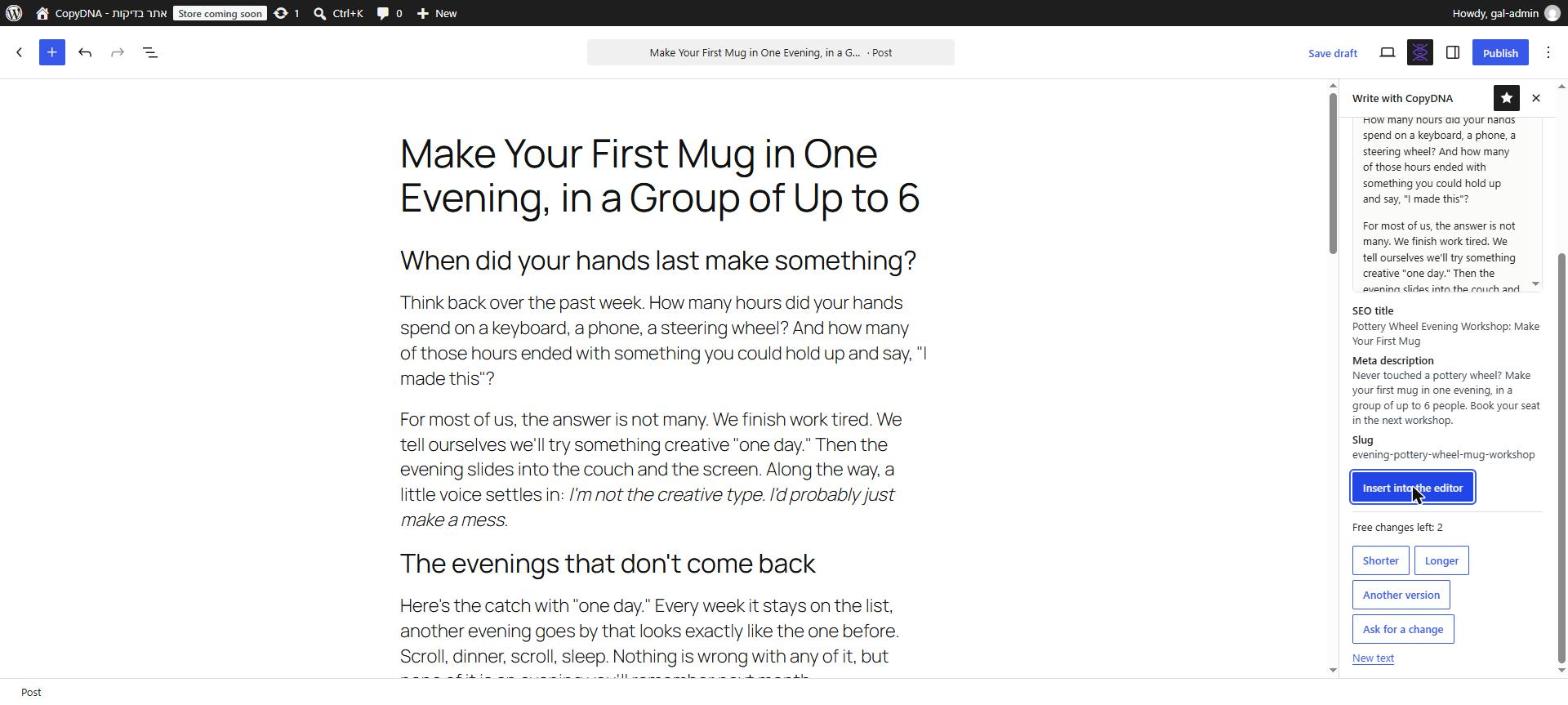
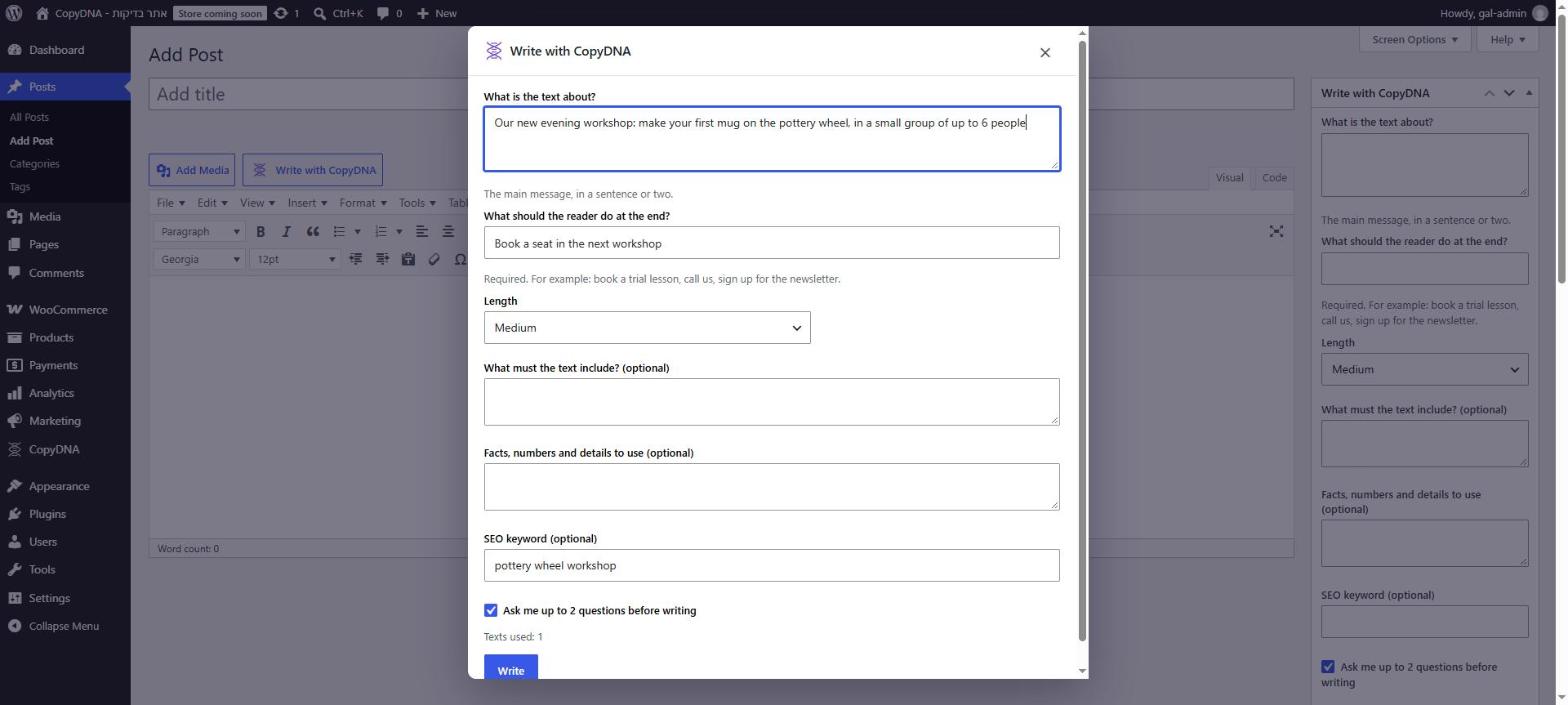
Posts and pages
A sidebar in the block editor: what the text is about and what the reader should do at the end. The text goes into the editor with an SEO title, meta description and slug.
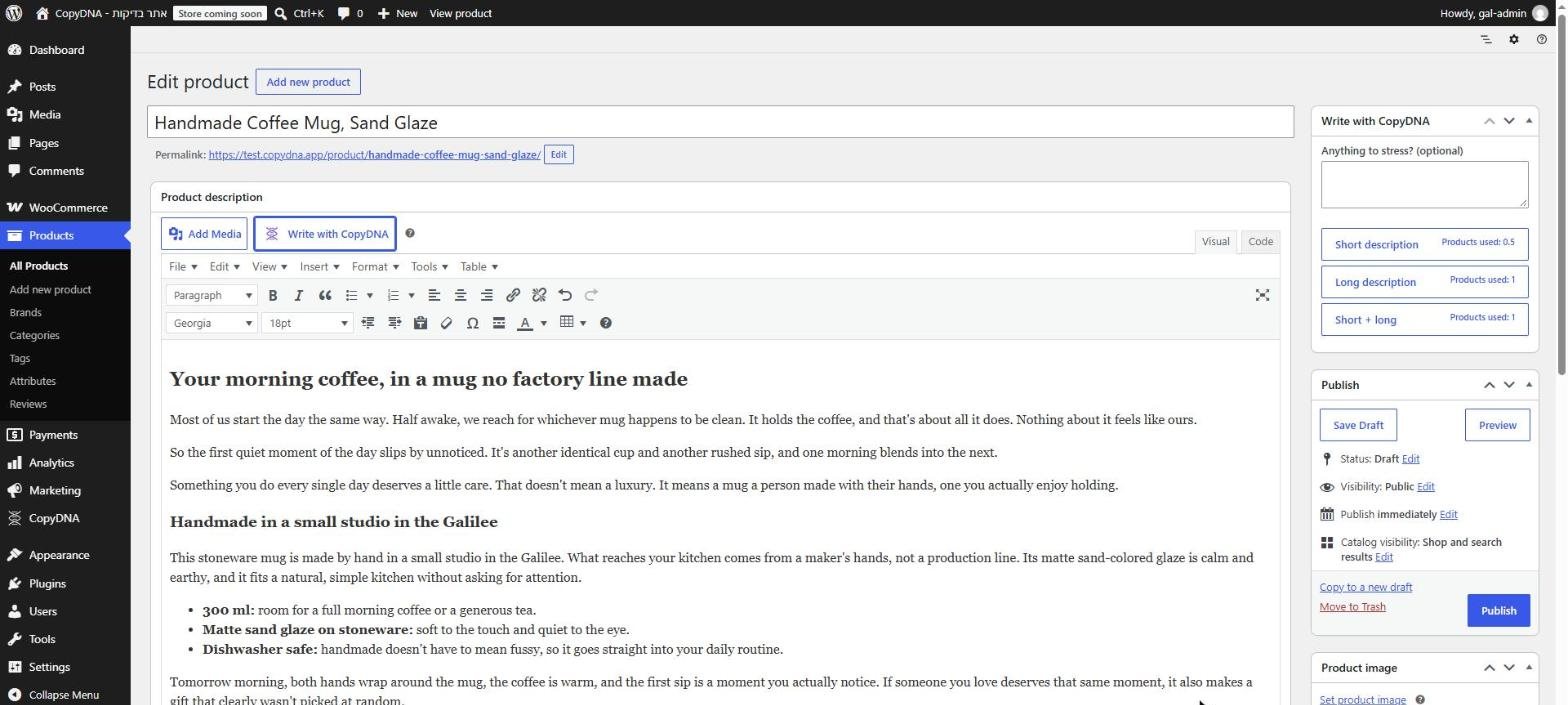
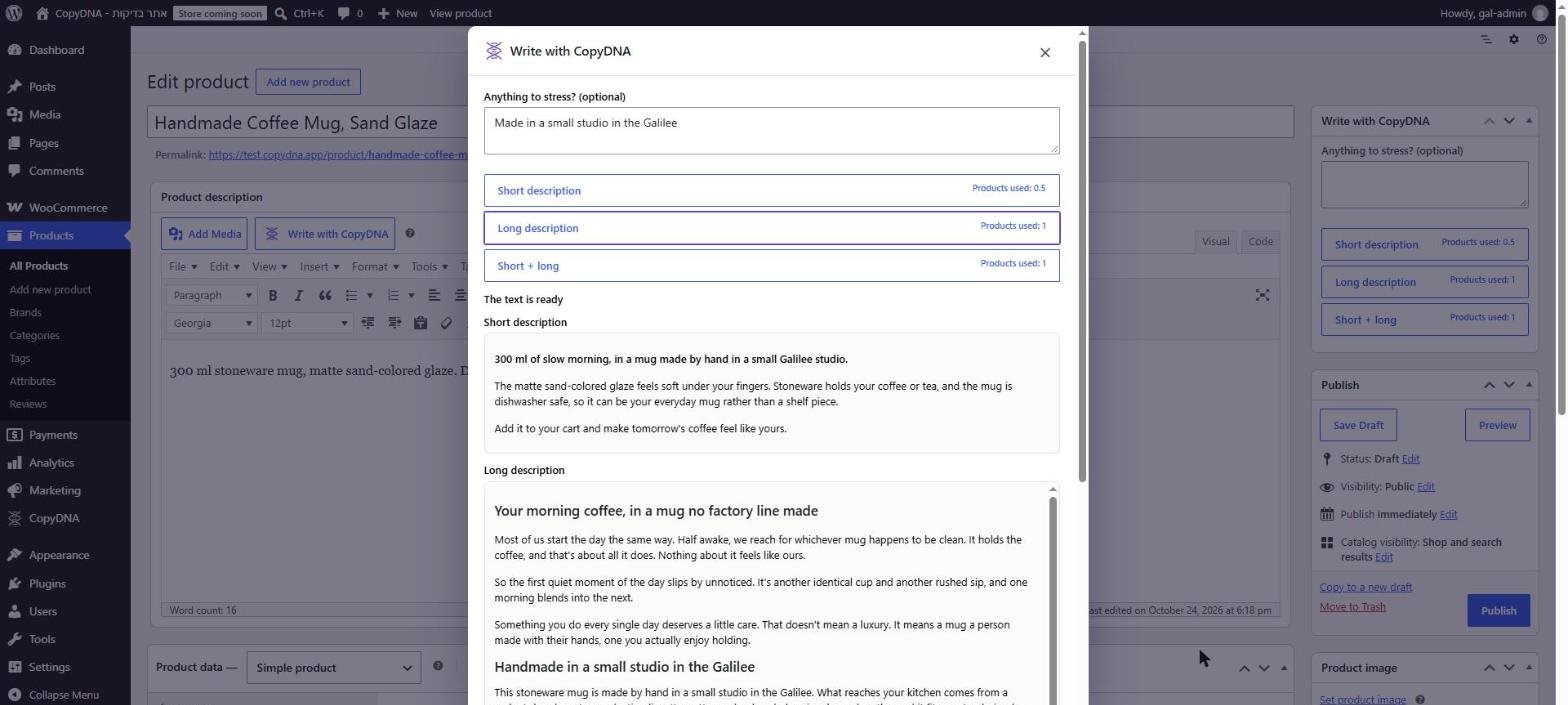
WooCommerce product descriptions
Short and long descriptions from the product edit screen, straight into the description fields.
Many products at once
From the products list, on paid plans. The previous descriptions are kept and can be restored with one click.
Classic editor too
A "Write with CopyDNA" button next to "Add Media" opens the writer in a popup.
2 free changes per text
Shorter, longer, another version, or your own request.
Yoast SEO and Rank Math
The SEO title and meta description are saved in the active SEO plugin.
How it looks
The plugin follows the language of your WordPress admin.
Install in four steps
- 1
Download
Download the zip file from this page. No need to unzip it.
- 2
Upload
In your dashboard: Plugins → Add New Plugin → Upload Plugin, choose the file and install.
- 3
Activate
Click "Activate". CopyDNA appears in the admin menu.
- 4
Connect
CopyDNA → "Connect to CopyDNA", sign in or create an account, and approve. New accounts start with a free trial, no credit card needed.
Check the file
The SHA-256 fingerprint of the file. If your computer shows the same fingerprint, the file arrived complete and unchanged.
SHA-256: 9efe38a513f87642173b25b4b3dcd6c5f81dc4eefd0209cb4713cda96b1742d7
Check on Windows (top) or on Mac and Linux (bottom):
certutil -hashfile copydna-1.0.5.zip SHA256
shasum -a 256 copydna-1.0.5.zip
Questions
Is the plugin free?
Yes. The writing itself uses your CopyDNA account's allowance, by plan.
Is anything published automatically?
No. Posts and pages go into the editor, and products are filled in their description fields. You review, then save or publish.
Does it work with Yoast SEO or Rank Math?
Yes. The SEO title and meta description are saved in the active SEO plugin. Without an SEO plugin, CopyDNA adds them to that post only.
What does a text cost?
A post or a page uses 1 text from your plan. Product descriptions use a separate monthly product allowance first (short + long = 1 product, short alone = half a product); when it runs out, they use texts.
Which languages?
Hebrew, English, Arabic, Russian, Spanish, French and Portuguese (Brazil). The plugin follows the language of your WordPress admin.
What is sent to CopyDNA?
Only what the writing needs: the brief you typed (for products: name, price, categories, attributes and current description) and your admin language. When you connect, the site address and name. Nothing is sent before you connect and click a write button.
How do I get updates?
The plugin is installed from WordPress.org, so updates appear in your dashboard like any other plugin.
What are the requirements?
WordPress 5.3 or later and PHP 7.0 or later. Works great on the latest version too, WordPress 7.1. WooCommerce is needed only for product descriptions.
What's new
1.0.5
- A small line of links to the CopyDNA website (home, plans and prices, guides) at the bottom of the plugin screens, in the language of your admin.
- Security: each user can follow and continue only the texts they started.
- A short explanation of what a brand profile is, in a ? button next to "Brand profile" on the settings screen.
- Works on PHP 7.0 and later (was 7.4).
- Works from WordPress 5.3 (was 6.5), in all 7 languages on older versions too.
Your next post can persuade more
Download, connect, and your first text lands in the editor as a draft.
Download the plugin (zip)Version 1.0.5 · 100 KB · WordPress 5.3+